Charge the watch with its supplied charging cable before pairing.
Turn on Bluetooth and location services on your phone, then install or update Da Fit.
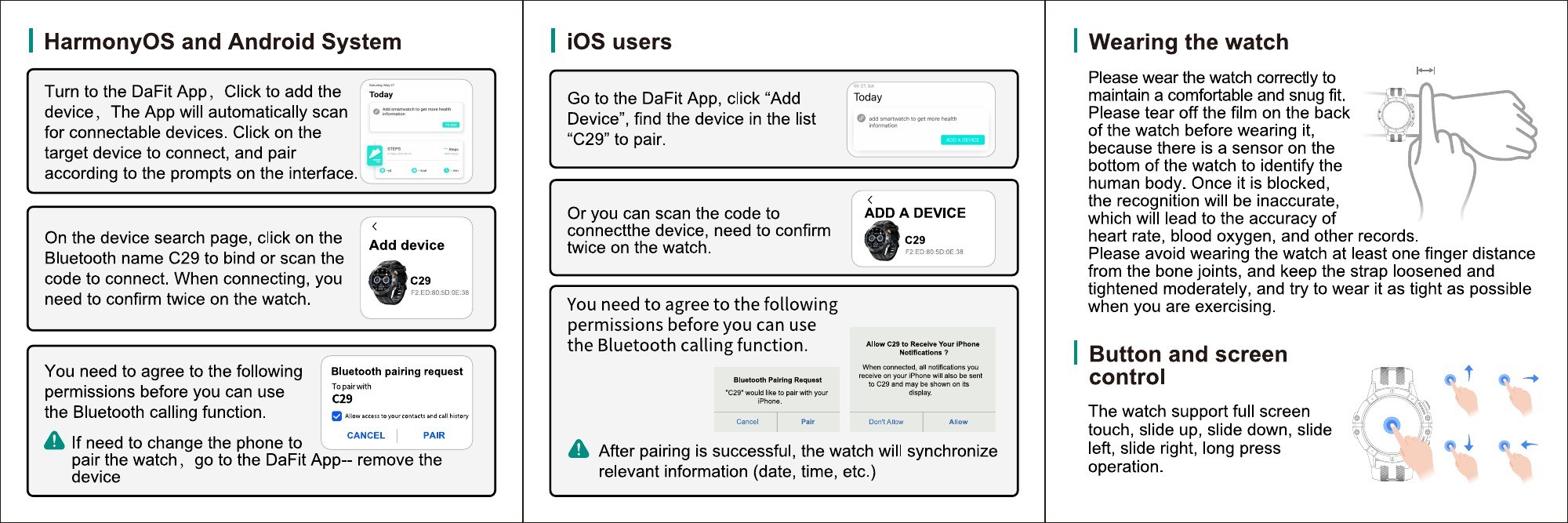
In Da Fit, choose Add Device and select the matching Bluetooth device name shown below.
Confirm the pairing prompt on the phone and watch. To replace a connected phone, use App > Remove Device first.
On Android or HarmonyOS, let Da Fit scan for connectable devices. On iPhone, select Add Device and choose C29 from the list.
Pair from inside Da Fit rather than only from phone Bluetooth settings.
02 - Daily use
Charging, fit, and controls.
Wear the watch comfortably with the sensor against the skin. Remove the protective film from the back before use, avoid wearing it over a bone joint, and keep the strap secure during exercise.
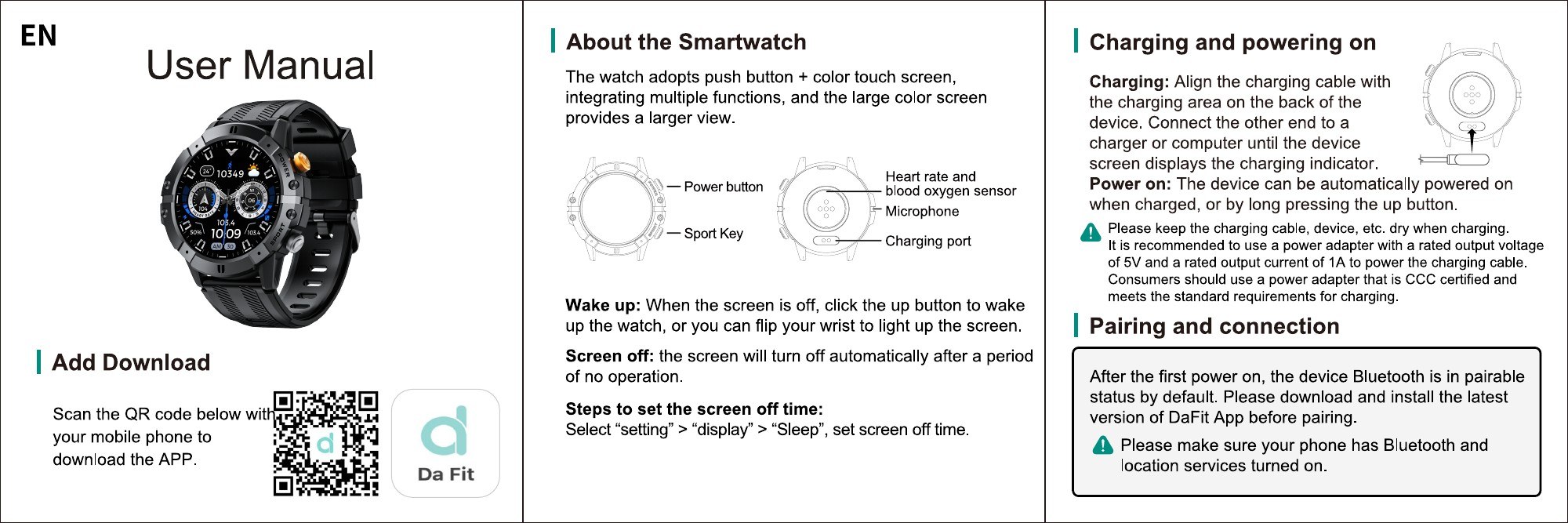
Use the supplied charging accessory and keep the charging contacts, cable, and device dry during charging.
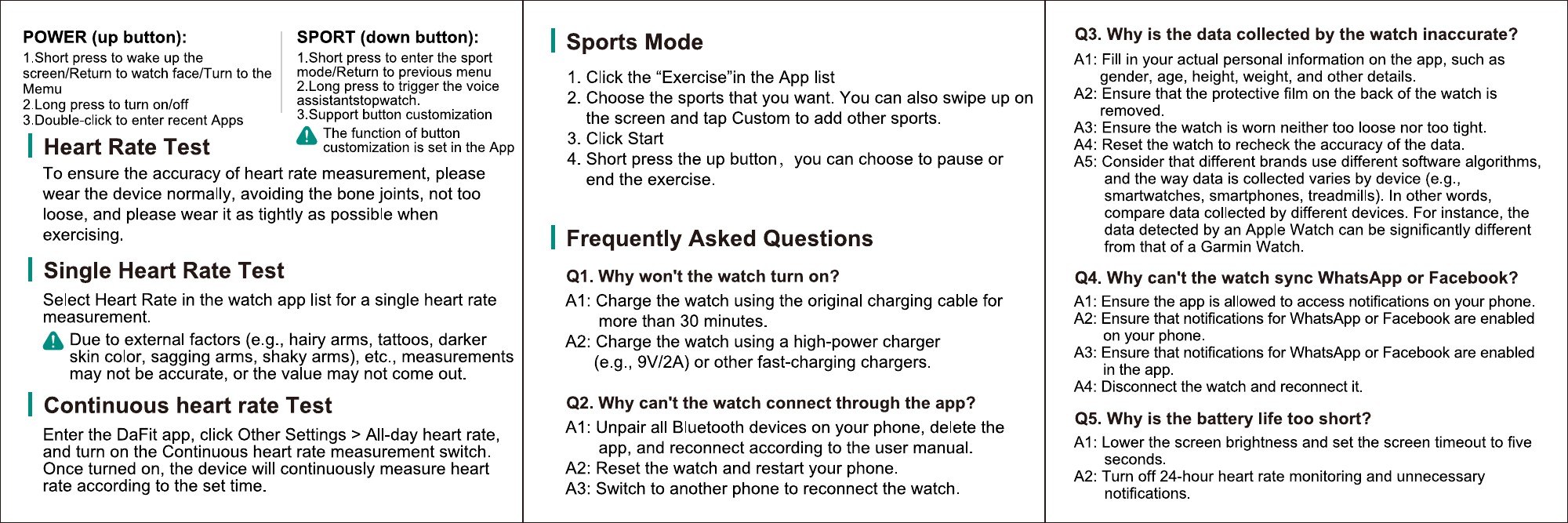
Touchscreen control: swipe up, down, left, or right; long-press to operate.
Exercise mode: select the sport on the watch or open it from the workout shortcut.
Continuous heart rate: in Da Fit, open Other Settings > All-day heart rate and turn it on if available.
03 - Health and activity
Use measurements responsibly.
For more reliable heart-rate readings, wear the watch snugly and avoid loose contact. Skin condition, tattoos, hair, movement, and other factors can affect readings.
Measurements are for general wellness reference only and are not intended for medical diagnosis or treatment.
Official manual illustrations
See the original visual instructions.
These illustrations are reproduced from the supplied C29 manual. Open the PDF for the complete multilingual version.
Watch profiles and chargingOfficial illustrations for watch profiles, charging contacts, and powering on.Android and iPhone pairingOfficial Da Fit pairing screens and permission prompts for both phone systems.Wear, control, and troubleshootOfficial fit, touchscreen-control, measurement, and FAQ guidance.
04 - Troubleshooting
Common C29 questions.
Why will the watch not turn on?
Charge it for more than 30 minutes with the original cable. If needed, try a suitable 5V/2A charger and contact support if the cable needs replacement.
Why can’t the watch connect through the app?
Unpair Bluetooth devices on the phone, remove the watch in Da Fit, then pair again from the app. Restart the watch and phone if needed.
Why are notifications missing?
Allow Da Fit to access phone notifications, make sure the notification is enabled on the phone and in the app, then disconnect and reconnect the watch.
Why is battery life shorter than expected?
Reduce screen brightness, shorten display duration, and turn off all-day heart-rate monitoring or unnecessary notifications when they are not needed.